Features
You can set up the buttons and column headings for whatever type of music you want -- Ballroom, Country, Irish, Salsa,
Swing, Hustle, Jazz, or Ballet -- you name it. And you can organize your songs by Dances,
Instructors, Students, and Albums.
A song can appear on more than one dance screen. For example, Winter Wonderland can appear on both the
Foxtrot screen and the Christmas screen. And if you can't find a song you can search for it if you know part
of the title or artist name.
Loading Music
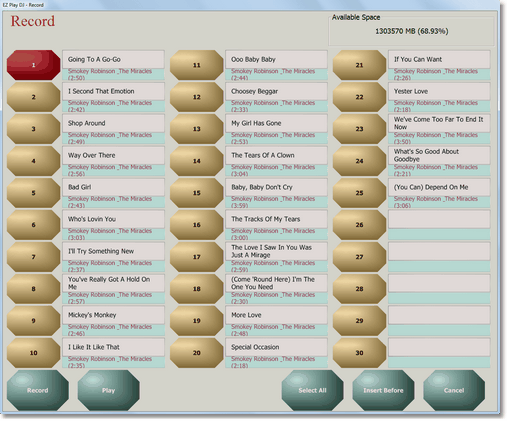
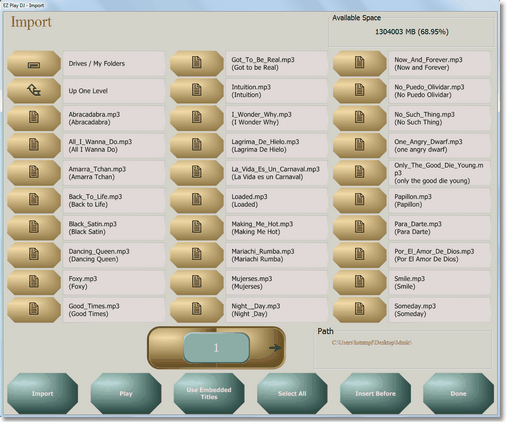
EZ Play DJ can hold tens of thousands of songs. Tracks can be recorded from CDs or imported from AAC, AIF, AIFF, FLAC, MP3, MP4, M4A, OGG, WAV, WMA, and WMV files and stored in EZ Play DJ. And songs can be moved around easily, with copy, cut, and paste features.
Playing Music
When you press a button on the main screen to select a Dance, Instructor, Student, or Album, a screen pops up with the songs. You can page forward to additional pages and have hundreds of songs.
You can change speed without changing pitch! Speeding up a song doesn't make it sound like the Chipmunks, and slowing a down a song doesn't make it sound like Leonard Cohen (unless it is). You can export a song to a file, such as MP3, with all settings -- like speed change and fade in/out -- applied.
Speed Change without Pitch Change? Wow!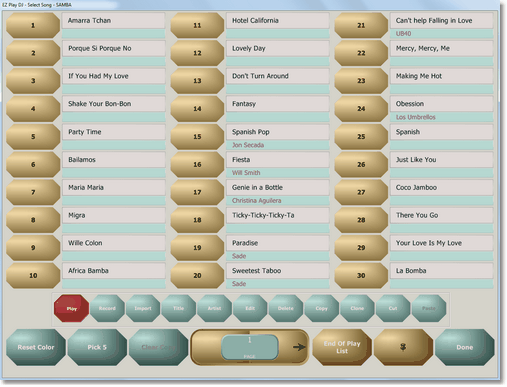
Settings
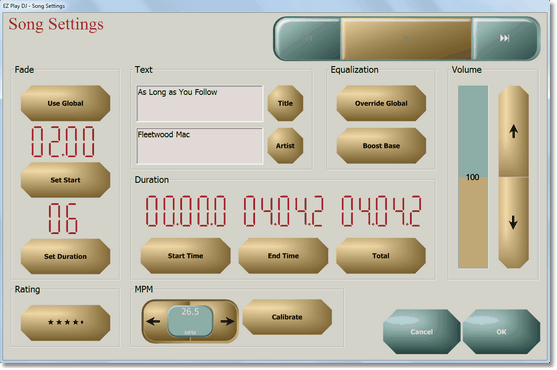
There are screens for global settings and for settings specific to one song. Fade out start time and duration can be set on both screens, and the setting specific to a song can override the global setting.
Text too hard to see? Font Sizes are Adjustable.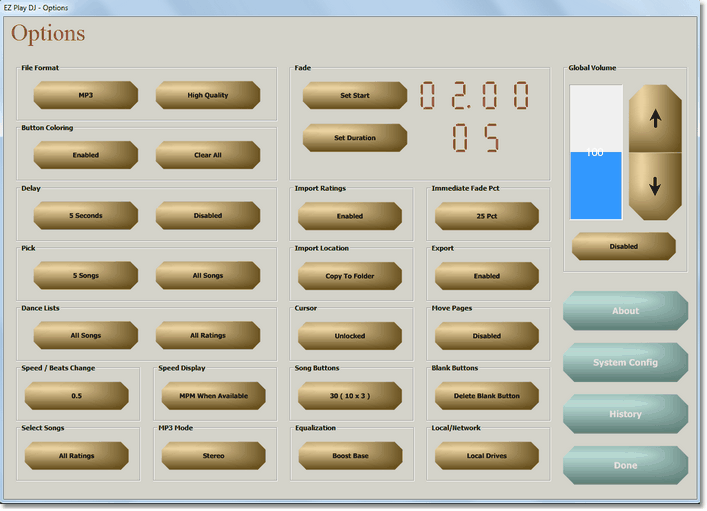
Tempo
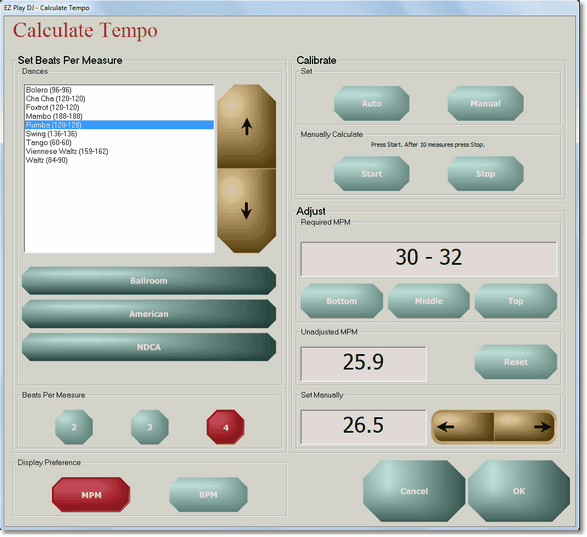
There are many dance tempo sets to choose from: ballroom (DSA, NDCA, WDC, and WDSF), country (UCWDC), and Irish (CLRG and WIDA), as well as variations, like Bronze and Pro-Am for Ballroom, and Worlds and Non-Worlds for Country.
Tempo can be set to be at the bottom, middle, or top of the official range for the dance with the push of a button, or it can be set manually. Tempo can be expressed in Measures per Minute or Beats per Minute. It is calibrated automatically for many songs, or it can be calibrated manually.
Dance Lists ( AKA Rounds )
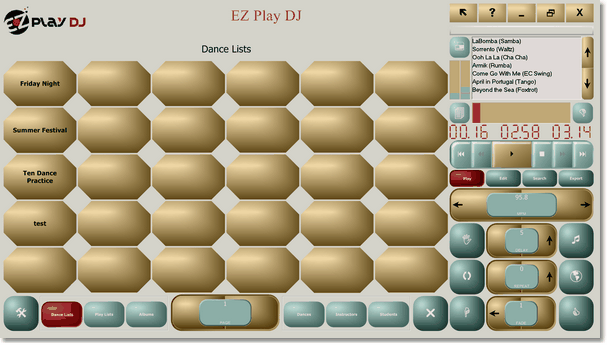
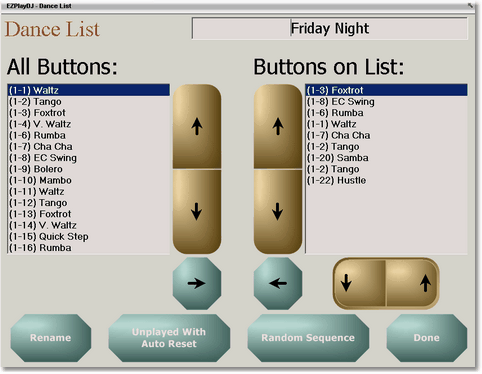
A Dance List is a sequence of dances that you can define. You select the dances to play, EZ Play DJ selects the songs. This is great for parties and for practice. For instance, ballroom dancers may want to hear one song from each of the Latin dances (Rumba, Cha Cha, Samba, Jive, and Paso Doble). And for the DJ this feature can do most of the work.
Playlists
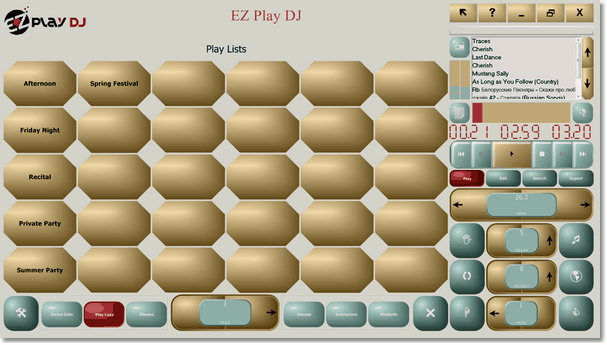
Playlists can be edited, saved, and retrieved. You can play them back in the predefined sequence or in a random sequence. You can play a song which is not on the Playlist, then go back to the Playlist. For instance, in the middle of a party you can play 'Happy Birthday'.
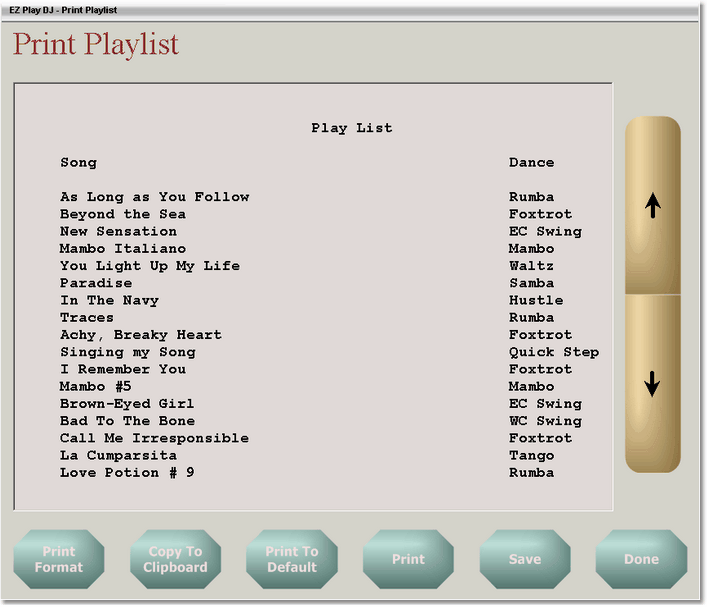
You can calculate the total play time of a playlist, taking into account global fade settings and pauses between songs. And you can print the Playlist or save it to a file for formatting in another program.
History
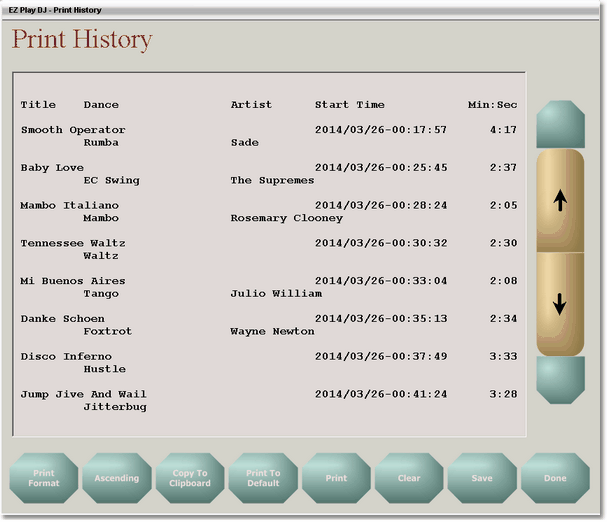
You may want to retrieve and print a history of the songs that you have played. And you may want to look up something you played in the past and easily play it again. You can do that, too.
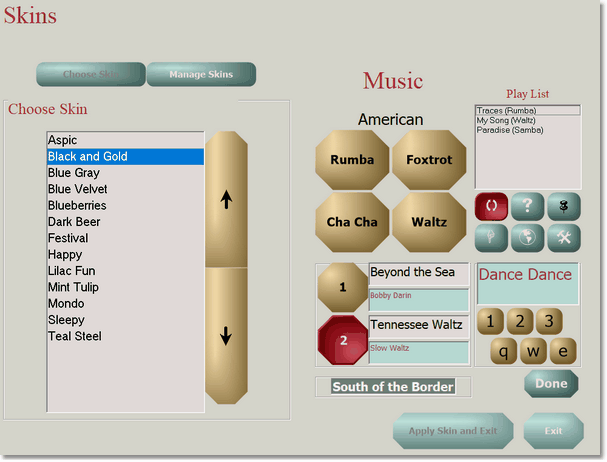
Skins
A Skin is a pre-defined set of colors, fonts, and button shapes. With just a few button presses you can change the appearance of EZ Play DJ screens. And you can create, edit, import, and export Skins, too!